Managing SMB Version and Signing Requirements in a Windows Environment
SMB Protocol support
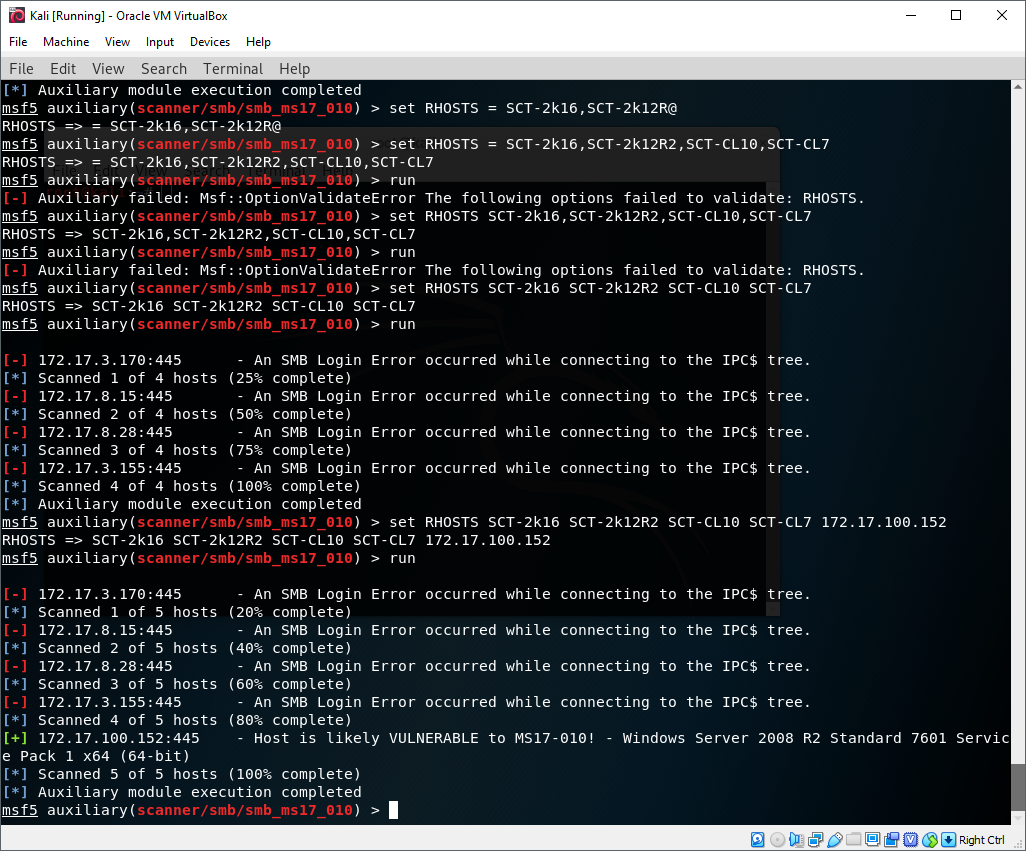
In 2017 Microsoft released a security bulletin detailing a critical vulnerability in the SMBv1 protocol which in some cases can be used to achieve arbitrary code execution on a remote host. Microsoft has no intention of supporting the outdated protocol anymore, and it is now considered best practice to permanently Disable SMBv1. As of the time of writing (2017) Microsoft does suggest leaving SMBv2 and SMBv3 enabled. To test for this vulnerability, I used the Metasploit smb_ms17_010 scanner. Here’s an example of scanning a vulnerable host:
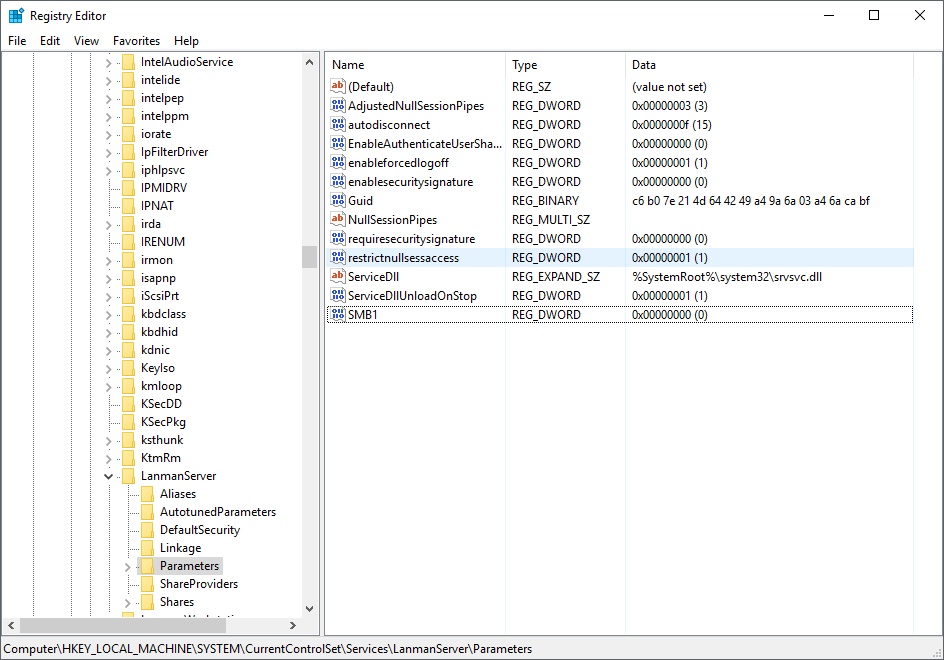
SMB versions cannot be controlled through a friendly GP template the way SMB signing can. Instead it must be manipulated through registry settings. SMB version support is defined in the registry key HKLM\SYSTEM\CurrentControlSet\Services\LanmanServer\Parameters, where DWORD values in this key by the name of SMB versions control support for that version. As an example, here’s a key to disable SMBv1:
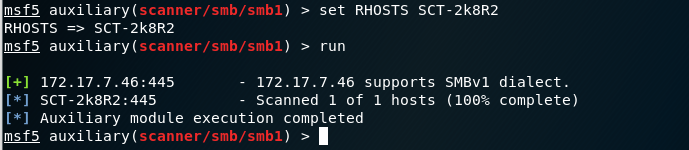
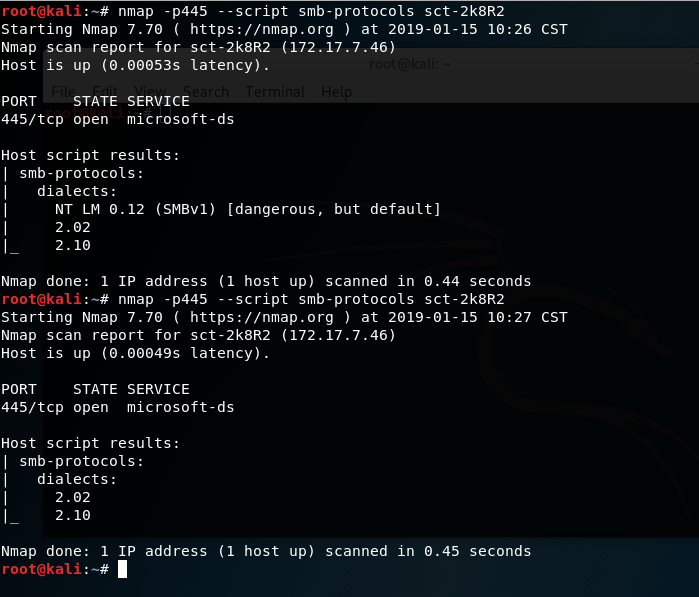
Here’s an example of using metasploit to determine that SMBv1 is supported, disabling the protocol via GPO, and then verifying the results using the scanner:
Before:
After:

The same can be accomplished with nmap using this auxiliary smb version scanner. Here’s an example of a nmap output for a host which does not require SMB singing:
SMB Signing
By default, SMB singing is supported, but not required. SMB signing requirements can be configured through group policy. The Group Policy path is Computer Configuration > Windows Settings > Security Settings > Local Policies > Security Options. The applicable keys are:
 Microsoft network server: Digitally sign communications (always)
 Microsoft network server: Digitally sign communications (if client agrees)</li>
 Microsoft network client: Digitally sign communications (always)
 Microsoft network client: Digitally sign communications (if server agrees)
For each key you can set the client or server to force SMB signing, or to try SMB signing. If you configure the ‘if server/client agrees’ policy objects then SMB signing will not be enforced, but will be attempted. This would make it possible for malicious actors to force insecure SMB authentication to enable a relay attack. To enforce SMB signing, configure the ‘always’ keys.
To test whether a signing is required on a host, you can use this namp script smb2-security-mode. Here’s an example of a nmap output for a host which does not require SMB singing:
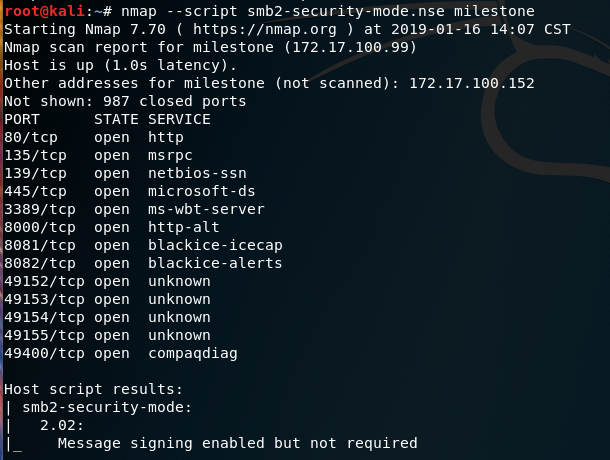
and another example of output from the same host where signing is required.
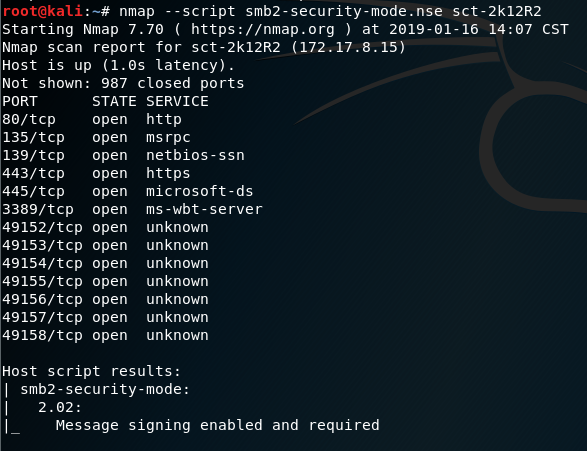
Sources:
Microsoft Security Bulletin MS17-010. docs.microsoft.com
How to detect, enable and disable SMBv1, SMBv2, and SMBv3 in Windows and Windows Server. support.microsoft.com
Client, service, and program issues can occur if you change security settings and user rights assignments. support.microsoft.com
Configure SMB signing via Group Policy. RootUsers.com