TrueK8S Part 04
Certificate management with TrueCharts ClusterIssuer
In this addition to the series, we’ll finally deploy a chart from the TrueCharts project. We’re still working on configuring the essential services that our cluster will depend on. One of those essential services is ingress, but before we can set that up we need to talk about certificates.
Certificates help make HTTPS happen, and help get rid of those annoying ‘your connection is not secure’ errors you see in your browser. If you’re building a kube cluster, you probably knew that. What you may not know is that TrueCharts has a handy tool named ClusterIssuer that will let deployments in your cluster automagically fetch and manage their own certificates.
All you need to take advantage of this tool is a public domain, and an API key to one of the supported DNS Providers. In this guide we’ll deploy the cert-manager and ClusterIssuer helm charts, and configure them to work with our Cloudflare account.
Cloudflare integration
Our new certificates will be issued by Let’s Encrypt, which utilizes ACME (Automatic Certificate Management Environment) to prove ownership of a domain. We’ll give cert-manager an API key for our Cloudflare account, which will allow it to publish records in our domain to satisfy the ACME challenge and retrieve certificates automatically.
Head on over to the Cloudflare API Tokens page and get yourself a new API token.
- From the available templates, select Edit zone DNS
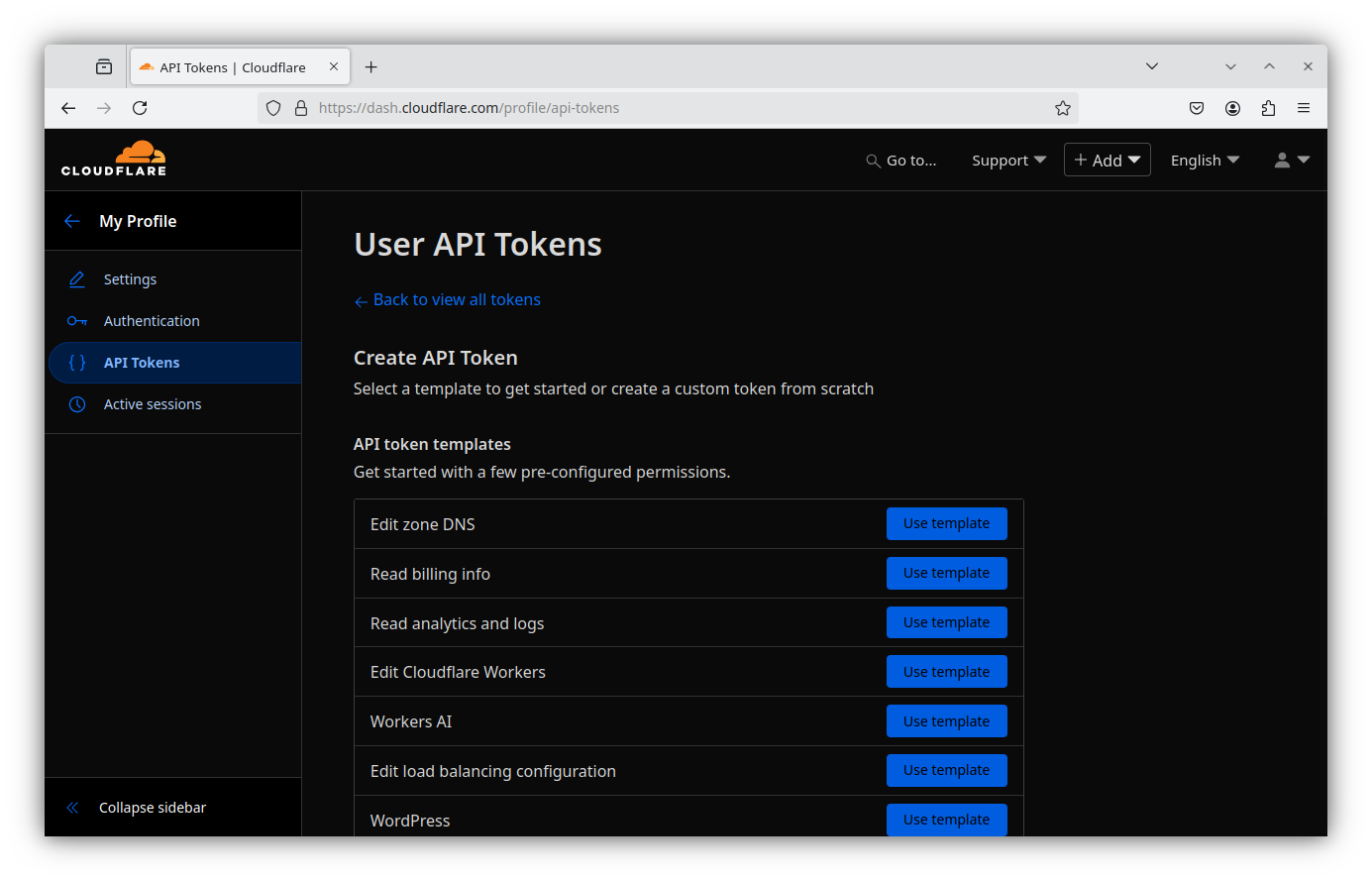
- Give your new token a descriptive name, and grant the following permissions:
- Zone - DNS - Edit
- Zone - Zone - Read
- Zone Resources - All zones (or all zones for which you wish to issue certificates)
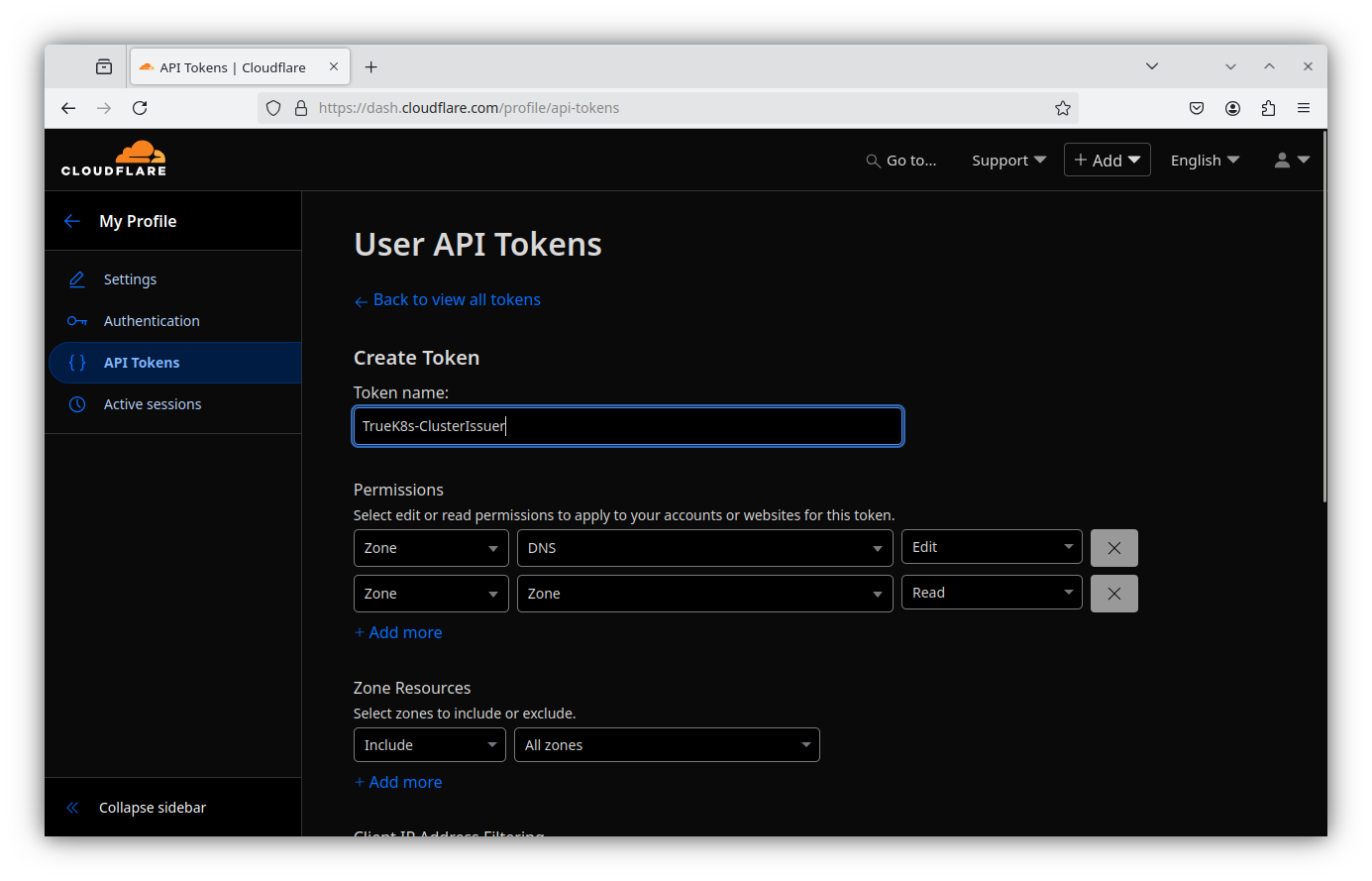
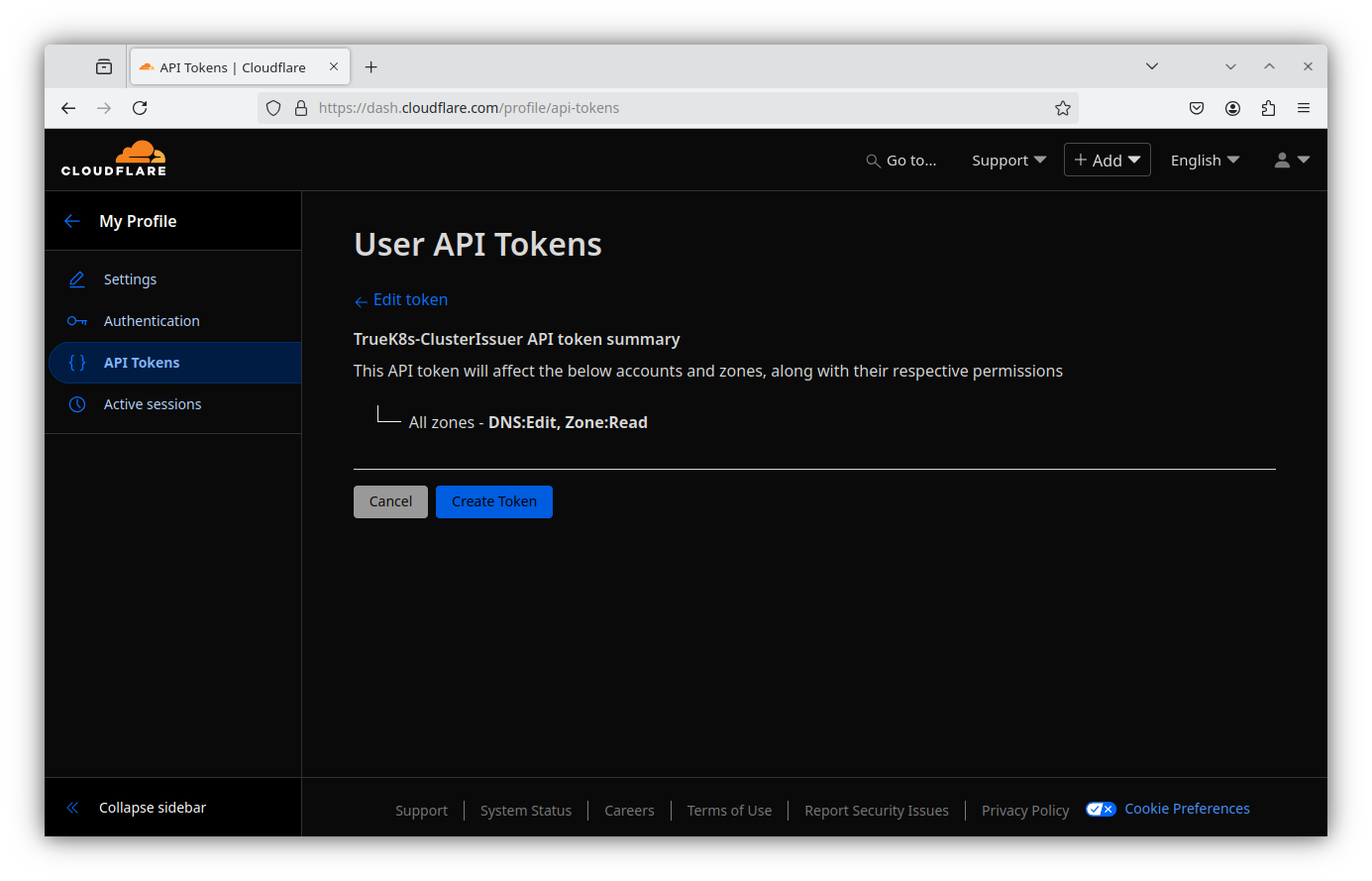
- Review the summary and create the token
- Make sure to save your API token securely, you won’t get to see it again.
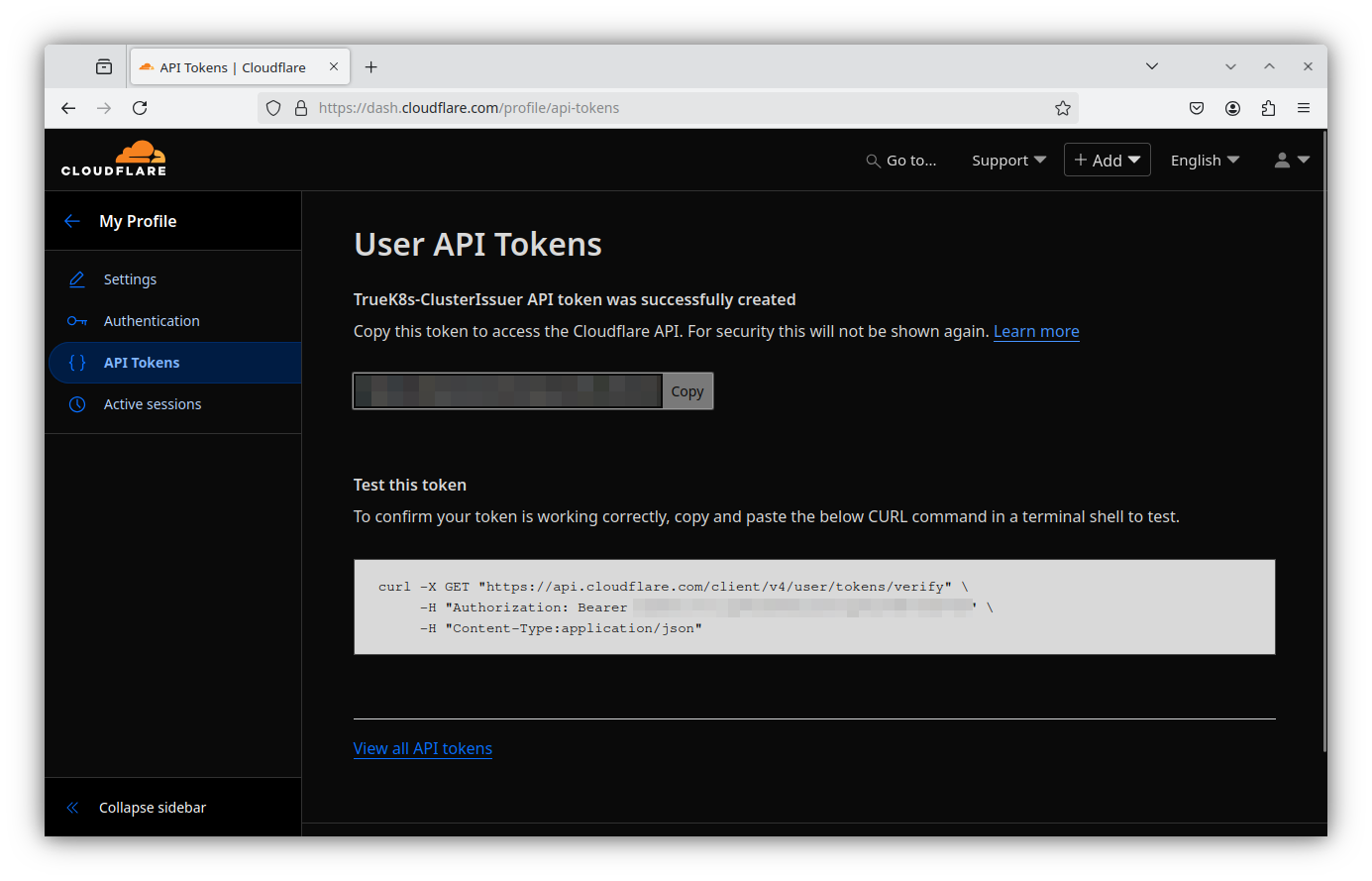
And now we have a secret that we need to give to our cluster. Sounds like a good use of our cluster-config ConfigMap we created earlier.
Decrypt your ConfigMap
$sops -d -i cluster-config.yaml and add your token, as well as the email address associated with your Cloudflare account, and the domain name you’d like to use.
apiVersion: v1
kind: ConfigMap
metadata:
    name: cluster-config
    namespace: flux-system
data:
    test: Value
    DOMAIN_0: mydomain.tld
    CLOUDFLARE_TOKEN: token-token-token-token-token
    CLOUDFLARE_EMAIL: email-email-email@domain-domain-domain.tld
And zip your clusterconfig file back up before committing the changes to your repo.
$sops -e -i cluster-config.yaml
$git add -A && git commit -m 'added ACME info to cluster-config'
$git push
Now we have everything we need to start getting some certs.
Deploying cert-manager and ClusterIssuer
cert-manager is the tool that actually does the ACME challenges for us, and cluster-issuer is the tool that takes cert requests from our cluster and hands them to cert-manager to fulfil. We’ll be deploying both.
Add these resources to your cluster repo:
truek8s
├── infrastructure
│ ├── core
│ │ ├── cert-manager
│ │ │ ├── helm-release.yaml
│ │ │ ├── kustomization.yaml
│ │ │ └── namespace.yaml
│ │ ├── cluster-issuer
│ │ │ ├── helm-release.yaml
│ │ │ ├── kustomization.yaml
│ │ │ └── namespace.yaml
│ └── production
│     ├── cert-manager.yaml
│     └── cluster-issuer.yaml
└── repos
    ├── jetstack.yaml
    └── truecharts.yaml
Repos
jetstack.yaml
apiVersion: source.toolkit.fluxcd.io/v1
kind: HelmRepository
metadata:
  name: jetstack
  namespace: flux-system
spec:
  interval: 2h
  url: https://charts.jetstack.io/
truecharts.yaml
apiVersion: source.toolkit.fluxcd.io/v1
kind: HelmRepository
metadata:
    name: truecharts
    namespace: flux-system
spec:
    type: oci
    interval: 2h
    url: oci://tccr.io/truecharts
infrastructure/core/cert-manager
helm-release.yaml
apiVersion: helm.toolkit.fluxcd.io/v2
kind: HelmRelease
metadata:
    name: cert-manager
    namespace: cert-manager
spec:
    interval: 5m
    chart:
        spec:
            chart: cert-manager
            sourceRef:
                kind: HelmRepository
                name: jetstack
                namespace: flux-system
            interval: 5m
    install:
        createNamespace: true
        crds: CreateReplace
        remediation:
            retries: 3
    upgrade:
        crds: CreateReplace
        remediation:
            retries: 3
    values:
      crds:
        enabled: true
      dns01RecursiveNameservers: "1.1.1.1:53,1.0.0.1:53"
      dns01RecursiveNameserversOnly: false
      enableCertificateOwnerRef: true
kustomization.yaml
apiVersion: kustomize.config.k8s.io/v1beta1
kind: Kustomization
resources:
  - namespace.yaml
  - helm-release.yaml
/namespace.yaml
apiVersion: v1
kind: Namespace
metadata:
    name: cert-manager
infrastructure/core/cluster-issuer
helm-release.yaml
🚧 See how we’re passing the secrets from our ConfigMap here? Also, pay attention to spec.values.clusterCertificates. This will create a default wildcard certificate that we’ll need later!
apiVersion: helm.toolkit.fluxcd.io/v2
kind: HelmRelease
metadata:
  name: clusterissuer
  namespace: clusterissuer
spec:
  interval: 15m
  chart:
    spec:
      chart: clusterissuer
      sourceRef:
        kind: HelmRepository
        name: truecharts
        namespace: flux-system
      interval: 15m
  timeout: 20m
  maxHistory: 3
  install:
    createNamespace: true
    remediation:
      retries: 3
  upgrade:
    cleanupOnFail: true
    remediation:
      retries: 3
  uninstall:
    keepHistory: false
  values:
    clusterIssuer:
      selfSigned:
        enabled: true
        name: "selfsigned"
      ## Remove these if you do NOT want to use clusterissuer
      ACME:
        - name: letsencrypt-domain-0
          # Used for both logging in to the DNS provider AND ACME registration
          email: "${CLOUDFLARE_EMAIL}"
          server: 'https://acme-v02.api.letsencrypt.org/directory'
          # Options: HTTP01, cloudflare, route53, akamai, digitalocean, rfc2136, acmedns
          type: "cloudflare"
          # for cloudflare
          cfapitoken: "${CLOUDFLARE_TOKEN}"
    ## Remove these if you do NOT want to use clusterissuer
    clusterCertificates:
      # Namespaces in which the certificates must be available
      # Accepts comma-separated regex expressions
      replicationNamespaces: '.*'
      certificates:
        - name: star-domain-0
          enabled: true
          certificateIssuer: letsencrypt-domain-0
          hosts:
            - ${DOMAIN_0}
            - '*.${DOMAIN_0}'
kustomization.yaml
apiVersion: kustomize.config.k8s.io/v1beta1
kind: Kustomization
resources:
  - namespace.yaml
  - helm-release.yaml
namespace.yaml
apiVersion: v1
kind: Namespace
metadata:
    name: clusterissuer
/infrastructure/production/
cert-manager.yaml
apiVersion: kustomize.toolkit.fluxcd.io/v1
kind: Kustomization
metadata:
  name: cert-manager
  namespace: flux-system
spec:
  interval: 10m
  path: infrastructure/core/cert-manager
  prune: true
  sourceRef:
    kind: GitRepository
    name: flux-system
cluster-issuer.yaml
Note that cluster-issuer depends on cert-manager
apiVersion: kustomize.toolkit.fluxcd.io/v1
kind: Kustomization
metadata:
  name: cluster-issuer
  namespace: flux-system
spec:
  dependsOn:
    - name: cert-manager
  interval: 10m
  path: infrastructure/core/cluster-issuer
  prune: true
  sourceRef:
    kind: GitRepository
    name: flux-system
And finally, don’t forget to modify existing kustomizations to point to the new kustomizations we’ve created.
/repos/kustomization.yaml
apiVersion: kustomize.config.k8s.io/v1beta1
kind: Kustomization
resources:
  - cert-manager.yaml
  - cluster-issuer.yaml
/infrastructure/production.yaml
apiVersion: kustomize.config.k8s.io/v1beta1
kind: Kustomization
resources:
  - truecharts.yaml
  - podinfo.yaml
  - jetstack.yaml
That is a lot of junk to write (or copy paste), but that is my experience of flux. The payoff of deploying things this way is that we now have every part of our deployment declaratively defined, and independently documented. Every namespace and helm-chart is well defined, and any changes are tracked very accurately. Notice we’re also using the spec.dependsOn field to tell flux to wait until cert-manager is deployed to try and deploy ClusterIssuer.
When you’re done complaining about all the files, commit your changes and watch Flux do its work.
❗ Triple check that cluster-config has been re-encrypted before committing!
git add -A && git commit -m 'added certs stuffs'
git push
flux events --watch
Verifying
If everything worked correctly, we should have two new helm releases, and a cluster certificate. Let’s verify that with flux and kubectl.
#Verify that the charts installed successfully.
$ flux get hr -A
NAMESPACE       NAME            REVISION        SUSPENDED       READY   MESSAGE
cert-manager    cert-manager    v1.17.2         False           True    Helm install succeeded for release cert-manager/cert-manager.v1 with chart cert-manager@v1.17.2
clusterissuer   clusterissuer   9.6.4           False           True    Helm install succeeded for release clusterissuer/clusterissuer.v1 with chart clusterissuer@9.6.4
podinfo         podinfo         6.8.0           False           True    Helm upgrade succeeded for release podinfo/podinfo.v4 with chart podinfo@6.8.0
#Verify that the star-domain-0 certificate was created.
$ kubectl get certificate -A
NAMESPACE       NAME                               READY   SECRET                             AGE
clusterissuer   certificate-issuer-star-domain-0   False   certificate-issuer-star-domain-0   52s

$ kubectl describe certificate -n clusterissuer certificate-issuer-star-domain-0
Name:         certificate-issuer-star-domain-0
Namespace:    clusterissuer
Labels:       app=clusterissuer-9.6.4
              app.kubernetes.io/instance=clusterissuer
              app.kubernetes.io/managed-by=Helm
              app.kubernetes.io/name=clusterissuer
              app.kubernetes.io/version=latest
              helm-revision=1
              helm.sh/chart=clusterissuer-9.6.4
              helm.toolkit.fluxcd.io/name=clusterissuer
              helm.toolkit.fluxcd.io/namespace=clusterissuer
              release=clusterissuer
Annotations:  meta.helm.sh/release-name: clusterissuer
              meta.helm.sh/release-namespace: clusterissuer
API Version:  cert-manager.io/v1
Kind:         Certificate
Metadata:
  Creation Timestamp:  2025-05-15T02:24:56Z
  Generation:          1
  Managed Fields:
    API Version:  cert-manager.io/v1
    Fields Type:  FieldsV1
    fieldsV1:
      f:status:
        f:nextPrivateKeySecretName:
    Manager:      cert-manager-certificates-key-manager
    Operation:    Update
    Subresource:  status
    Time:         2025-05-15T02:24:56Z
    API Version:  cert-manager.io/v1
    [....]
Events:
  Type    Reason     Age   From                                       Message
  ----    ------     ----  ----                                       -------
  Normal  Issuing    71s   cert-manager-certificates-trigger          Issuing certificate as Secret does not exist
  Normal  Generated  71s   cert-manager-certificates-key-manager      Stored new private key in temporary Secret resource "certificate-issuer-star-domain-0-zwn8g"
  Normal  Requested  71s   cert-manager-certificates-request-manager  Created new CertificateRequest resource "certificate-issuer-star-domain-0-1"
Next Steps
In Part 5, we’ll put that cert to use and configure ingress for our cluster.