TrueK8S Part 10
Destroying and Rebuilding our Talos Cluster
For the final post of this series, we’ll put our cluster through a disaster recovery scenario. Because our cluster’s configuration is defined declaratively and all of our volumes and databases are replicated to cloud storage, we can re-create our cluster with little more than our git repo and our SOPS key. For this exercise, I’ll be simulating a complete disaster recovery. Let’s assume that my current cluster and administration machine have been destroyed and work through the process of rebuilding the Talos cluster, rebuilding our administration workstation, and then bootstrapping our new cluster with our config.
Before getting started (and especially before destroying any of your work) you’ll need to make sure you have the following things lined up:
- Your Talos patch files (optional, but convenient)
- Access to your repo with the same or a new personal access token
- Your SOPS key
- Your Flux bootsrap command (optional, but convenient)
Destroy the Cluster
Go ahead and give your existing cluster a graceful shutdown. If you’re feeling brave you can delete them, otherwise power them off and keep them as a backup.
Rebuilding the Cluster
I’ll start by creating three new VMs, just like we did in part 1.
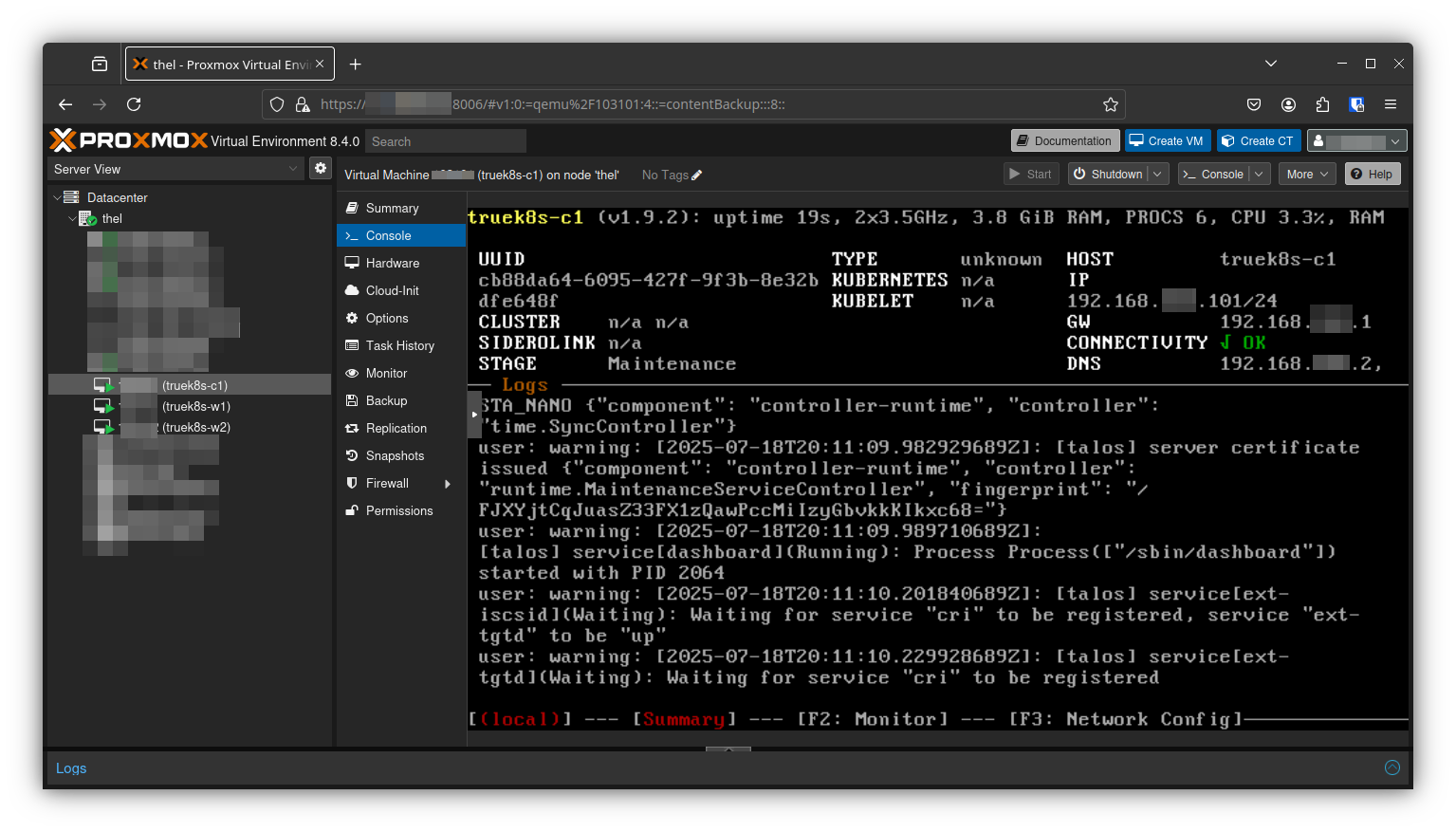
Don’t forget to install Talosctl if you haven’t already.
curl -sL https://talos.dev/install | shSave your IPs and cluster names as variables, then generate your initial talos config file.
export CONTROL_IP=192.168.XX.101
export WORKER1_IP=192.168.XX.111
export WORKER2_IP=192.168.XX.112
export CLUSTERNAME=truek8s

$ talosctl gen config $CLUSTERNAME https://$CONTROL_IP:6443 --install-image factory.talos.dev/installer/82866c01b2842b490c27a6f1a4996aae05f096c83db40ecda166b03da9deae46/:v1.9.2
generating PKI and tokens
Created /home/bmel/Documents/truek8s-talos/controlplane.yaml
Created /home/bmel/Documents/truek8s-talos/worker.yaml
Created /home/bmel/Documents/truek8s-talos/talosconfig
💡 Remember, you can specify any version using the same schematic ID. This guide was written with v1.9.2 but I’ve tested v1.10.8 and the process is the same.
Then go ahead and recreate or copy your patch files to your working directory. Check part 1 for details on recreating them. Remember, the only thing different between these three is the hostname field.
- truek8s-c1.patch
- truek8s-w1.patch
- truek8s-w2.patch
And then patch your new machine config files:
$ talosctl machineconfig patch controlplane.yaml --patch @truek8s-c1.patch --output truek8s-c1.yaml
$ talosctl machineconfig patch worker.yaml --patch @truek8s-w1.patch --output truek8s-w1.yaml
$ talosctl machineconfig patch worker.yaml --patch @truek8s-w2.patch --output truek8s-w2.yaml
Double-check the machine config files you just generated, and then apply them to your cluster. Start with the control node, wait for it to come up, and then do your workers.
$ talosctl apply-config --insecure -n $CONTROL_IP --file truek8s-c1.yaml$ talosctl apply-config --insecure -n $WORKER1_IP --file truek8s-w1.yaml
$ talosctl apply-config --insecure -n $WORKER2_IP --file truek8s-w2.yamlWhen all three are back up and show healthy, finalize the install by bootstrapping the cluster:
$ talosctl bootstrap --nodes $CONTROL_IP --endpoints $CONTROL_IP --talosconfig talosconfigFinally, generate and save your talos and kube config files.
- copy and edit the talos config file
$ cp talosconfig ~/.talos/config
$ nano ~/.talos/config
$ cat ~/.talos/config
context: truek8s
contexts:
    truek8s:
        endpoints: [192.168.XX.101]
############################
############################
############################- Generate kubeconfig
$ talosctl kubeconfig -n $CONTROL_IP- If you don’t already have kubectl installed, install it:
$ apt install kubectlAnd finally, check to make sure talosctl and kubectl are working.
$ talosctl dashboard -n $CONTROL_IP

$ kubectl get nodes
NAME         STATUS   ROLES           AGE   VERSION
truek8s-c1   Ready    control-plane   62s   v1.33.2
truek8s-w1   Ready    <none>          55s   v1.33.2
truek8s-w2   Ready    <none>          66s   v1.33.2
Clone your repo
Once the cluster is up, clone your flux repo to your admin workstation so you can make changes. You will need a private access token, but it doesn’t have to be the same one. Check part 2 for details on how to make a new one if you need it.
#You don't need quotes here
export GITHUB_TOKEN=<your-PAT>
export GITHUB_USER=<your-username>
export REPO=truek8s

git clone https://$GITHUB_TOKEN@github.com/$GITHUB_USER/$REPO
Cloning into 'truek8s'...
Configure SOPS
Before we can move on to bootstrapping flux, we need to configure SOPS. We’ll need to provide the key to flux as a kube secret later, but also need to have a copy of it on our admin workstation so we can decrypt our config map.
If you haven’t already, install SOPS and AGE.
# Download the binary
curl -LO https://github.com/getsops/sops/releases/download/v3.10.2/sops-v3.10.2.linux.amd64

# Move the binary in to your PATH
mv sops-v3.10.2.linux.amd64 /usr/local/bin/sops

# Make the binary executable
chmod +x /usr/local/bin/sops

#Install age
$ apt install age
💡 This command installs version 3.10.2. Check SOPS documentation to see if a newer version is available.
Copy your sops-key.text file to ~/.config/sops/age/keys.txt. You can test that SOPS is configured and that you have the right key by decrypting and re-encrypting your configmap.
$ sops -d -i cluster-config.yaml
$ sops -e -i cluster-config.yaml
Make sure you keep that key file handy. You’ll need to provide it to flux in a later step.
Volsync and CNPG Configuration
Before we bootstrap flux and commit our config to the cluster, we need to make sure that any charts using VolSync or CNPG are configured to restore. In the examples we’ve worked on through this guide, that simply means uncommenting the mode: recovery statement in any helm charts.
Using the configuration we made for nextcloud as an example:
      cnpg:
        main:
          cluster:
            singleNode: true
          pgVersion: 15
# Uncomment this line
          mode: recovery
          backups:
            enabled: true
            credentials: backblaze
            scheduledBackups:
              - name: daily-backup
                schedule: "0 0 0 * * *"
                backupOwnerReference: self
                immediate: true
                suspend: false
          recovery:
            method: object_store
            credentials: backblaze
Make sure you do this for any CNPG enabled charts in your repo. When you’re all done, commit any changes to your repo:
⚠️ make sure you config map is encrypted before committing.
git add -A && git commit -m 'set recovery'
git push
Flux Bootstrap
Now all you need to do is bootstrap flux with your repo, hand it the sops key, and it will take care of everything from there. For the github PAT, you can create a new one or re-use the same one from earlier.
if you don’t already have it installed, go ahead and install flux:
curl -s https://fluxcd.io/install.sh | sudo bashAnd then re-run the flux bootstrap command:
$ export GITHUB_TOKEN=<PAT>
$ export GITHUB_USER=<Github Username>
$ export REPO=truek8s
$ flux bootstrap github --token-auth --owner=$GITHUB_USER   --repository=$REPO --branch=main   --path=./clusters/$REPO   --personal
► connecting to github.com
► cloning branch "main" from Git repository "https://github.com/bmel343/truek8s.git"
✔ cloned repository
► generating component manifests
✔ generated component manifests
✔ committed sync manifests to "main" ("6b49c159dff1f604c5df9e542731c41e0d4412f1")
► pushing component manifests to "https://github.com/bmel343/truek8s.git"
► installing components in "flux-system" namespace
✔ installed components
✔ reconciled components
► determining if source secret "flux-system/flux-system" exists
► generating source secret
► applying source secret "flux-system/flux-system"
✔ reconciled source secret
► generating sync manifests
✔ generated sync manifests
✔ sync manifests are up to date
► applying sync manifests
✔ reconciled sync configuration
◎ waiting for Kustomization "flux-system/flux-system" to be reconciled
✔ Kustomization reconciled successfully
► confirming components are healthy
✔ helm-controller: deployment ready
✔ kustomize-controller: deployment ready
✔ notification-controller: deployment ready
✔ source-controller: deployment ready
✔ all components are healthy
As soon as flux is done bootstrapping, create the sops-age secret in the flux-system namespace. Don’t worry, thanks to the dependency configuration, Flux will wait for the secret to exist to reconcile the config ks, and all other KS depend on that.
$ kubectl -n flux-system create secret generic sops-age --from-file=age.agekey=sops-key.txt

secret/sops-age created
Sit Back and Watch
Flux will take it from here, working diligently to apply all the resources defined in our repo to the cluster. In my experience, it can take up 20-30 minutes for actual apps to start working again. I like to watch flux events, and check on specific kustomizations while I wait. Flux will be pretty noisy, and you may even see a few errors in there, but flux can often reconcile that by waiting and trying again. In this example it’s complaining about not finding the sops-age secret, but later finds it and continues along.
$ flux events --watch
LAST SEEN       TYPE    REASON                  OBJECT                  MESSAGE
11s             Normal  DependencyNotReady      Kustomization/apps      Dependencies do not meet ready condition, retrying in 30s
10s     Normal  NewArtifact     HelmRepository/cloudnative-pg   stored fetched index of size 77.48kB from 'https://cloudnative-pg.github.io/charts'
11s     Warning BuildFailed     Kustomization/config    secrets "sops-age" not found
18s     Normal  NewArtifact     GitRepository/flux-system       stored artifact for commit 'set recovery'
12s     Normal  Progressing     Kustomization/flux-system       CustomResourceDefinition/alerts.notification.toolkit.fluxcd.io configured
                                                                CustomResourceDefinition/buckets.source.toolkit.fluxcd.io configured
                                                                CustomResourceDefinition/externalartifacts.source.toolkit.fluxcd.io configured
                                                                CustomResourceDefinition/gitrepositories.source.toolkit.fluxcd.io configured
                                                                CustomResourceDefinition/helmcharts.source.toolkit.fluxcd.io configured
                                                                CustomResourceDefinition/helmreleases.helm.toolkit.fluxcd.io configured
                                                                CustomResourceDefinition/helmrepositories.source.toolkit.fluxcd.io configured
                                                                CustomResourceDefinition/kustomizations.kustomize.toolkit.fluxcd.io configured
                                                                CustomResourceDefinition/ocirepositories.source.toolkit.fluxcd.io configured
                                                                CustomResourceDefinition/providers.notification.toolkit.fluxcd.io configured
                                                                CustomResourceDefinition/receivers.notification.toolkit.fluxcd.io configured
                                                                Namespace/flux-system configured
                                                                ClusterRole/crd-controller-flux-system configured
                                                                ClusterRole/flux-edit-flux-system configured
                                                                ClusterRole/flux-view-flux-system configured
                                                                ClusterRoleBinding/cluster-reconciler-flux-system configured
                                                                ClusterRoleBinding/crd-controller-flux-system configured
                                                                ResourceQuota/flux-system/critical-pods-flux-system configured
                                                                ServiceAccount/flux-system/helm-controller configured
                                                                ServiceAccount/flux-system/kustomize-controller configured
                                                                ServiceAccount/flux-system/notification-controller configured
                                                                ServiceAccount/flux-system/source-controller configured
                                                                Service/flux-system/notification-controller configured
                                                                Service/flux-system/source-controller configured
                                                                Service/flux-system/webhook-receiver configured
                                                                Deployment/flux-system/helm-controller configured
                                                                Deployment/flux-system/kustomize-controller configured
                                                                Deployment/flux-system/notification-controller configured
                                                                Deployment/flux-system/source-controller configured
                                                                Kustomization/flux-system/apps created
                                                                Kustomization/flux-system/config created
                                                                Kustomization/flux-system/flux-system configured
                                                                Kustomization/flux-system/infrastructure created
                                                                Kustomization/flux-system/repos created
                                                                NetworkPolicy/flux-system/allow-egress configured
                                                                NetworkPolicy/flux-system/allow-scraping configured
                                                                NetworkPolicy/flux-system/allow-webhooks configured
                                                                GitRepository/flux-system/flux-system configured
12s     Normal  ReconciliationSucceeded Kustomization/flux-system       Reconciliation finished in 6.02411383s, next run in 10m0s
11s     Normal  DependencyNotReady      Kustomization/infrastructure    Dependencies do not meet ready condition, retrying in 30s
10s     Normal  NewArtifact     HelmRepository/ingress-nginx    stored fetched index of size 224.7kB from 'https://kubernetes.github.io/ingress-nginx'
10s     Normal  NewArtifact     HelmRepository/jetstack stored fetched index of size 492.1kB from 'https://charts.jetstack.io/'
10s     Normal  NewArtifact     HelmRepository/longhorn stored fetched index of size 70.95kB from 'https://charts.longhorn.io'
9s      Normal  NewArtifact     HelmRepository/metallb  stored fetched index of size 29.23kB from 'https://metallb.github.io/metallb'
11s     Normal  Progressing     Kustomization/repos     HelmRepository/flux-system/cloudnative-pg created
                                                        HelmRepository/flux-system/ingress-nginx created
                                                        HelmRepository/flux-system/jetstack created
                                                        HelmRepository/flux-system/longhorn created
                                                        HelmRepository/flux-system/metallb created
                                                        HelmRepository/flux-system/podinfo created
                                                        HelmRepository/flux-system/strrl created
                                                        HelmRepository/flux-system/truecharts created
6s      Normal  Progressing     Kustomization/repos     Health check passed in 5.044890457s
Pay particular attention to the order in which kustomizations are applied. Think back to part 2 when we considered how best to structure our repository, and how to configure dependencies. For example, the apps kustomization watis for the infrastructure kustomization to be deployed first. An application like Vualtwarden or Nextcloud depends on VolSync, CNPG, clusterissuer, metallb, longhorn, etc. The way we’ve configured things, Flux knows to wait until all of those resources are available to start deploying any apps, which prevents all sorts of potential deployment errors.
$ flux get ks
NAME                    REVISION                SUSPENDED       READY   MESSAGE
apps                                            False           False   dependency 'flux-system/infrastructure' is not ready
cert-manager            main@sha1:0cf3b4e3      False           True    Applied revision: main@sha1:0cf3b4e3
cf-tunnel-ingress       main@sha1:0cf3b4e3      False           True    Applied revision: main@sha1:0cf3b4e3
cloudnative-pg          main@sha1:0cf3b4e3      False           False   dependency 'flux-system/longhorn' is not ready
cluster-issuer          main@sha1:0cf3b4e3      False           False   dependency 'flux-system/cert-manager' is not ready
config                  main@sha1:0cf3b4e3      False           True    Applied revision: main@sha1:0cf3b4e3
flux-system             main@sha1:0cf3b4e3      False           True    Applied revision: main@sha1:0cf3b4e3
infrastructure                                  False           Unknown Reconciliation in progress
ingress-nginx           main@sha1:0cf3b4e3      False           True    Applied revision: main@sha1:0cf3b4e3
kubernetes-reflector    main@sha1:0cf3b4e3      False           True    Applied revision: main@sha1:0cf3b4e3
longhorn                main@sha1:0cf3b4e3      False           True    Applied revision: main@sha1:0cf3b4e3
longhorn-config                                 False           False   dependency 'flux-system/longhorn' is not ready
metallb                 main@sha1:0cf3b4e3      False           True    Applied revision: main@sha1:0cf3b4e3
metallb-config          main@sha1:0cf3b4e3      False           True    Applied revision: main@sha1:0cf3b4e3
repos                   main@sha1:0cf3b4e3      False           True    Applied revision: main@sha1:0cf3b4e3
snapshot-controller     main@sha1:0cf3b4e3      False           True    Applied revision: main@sha1:0cf3b4e3
volsync                 main@sha1:0cf3b4e3      False           True    Applied revision: main@sha1:0cf3b4e3
volsync-config          main@sha1:0cf3b4e3      False           True    Applied revision: main@sha1:0cf3b4e3
Your first sign that things are working is when the infrastructure ks reconciles. Once it does, infrastructure components like longhorn, metallb, nginx should come up. One of my first checks is the longhorn UI, which will show volumes created for any restore tasks or new deployments.
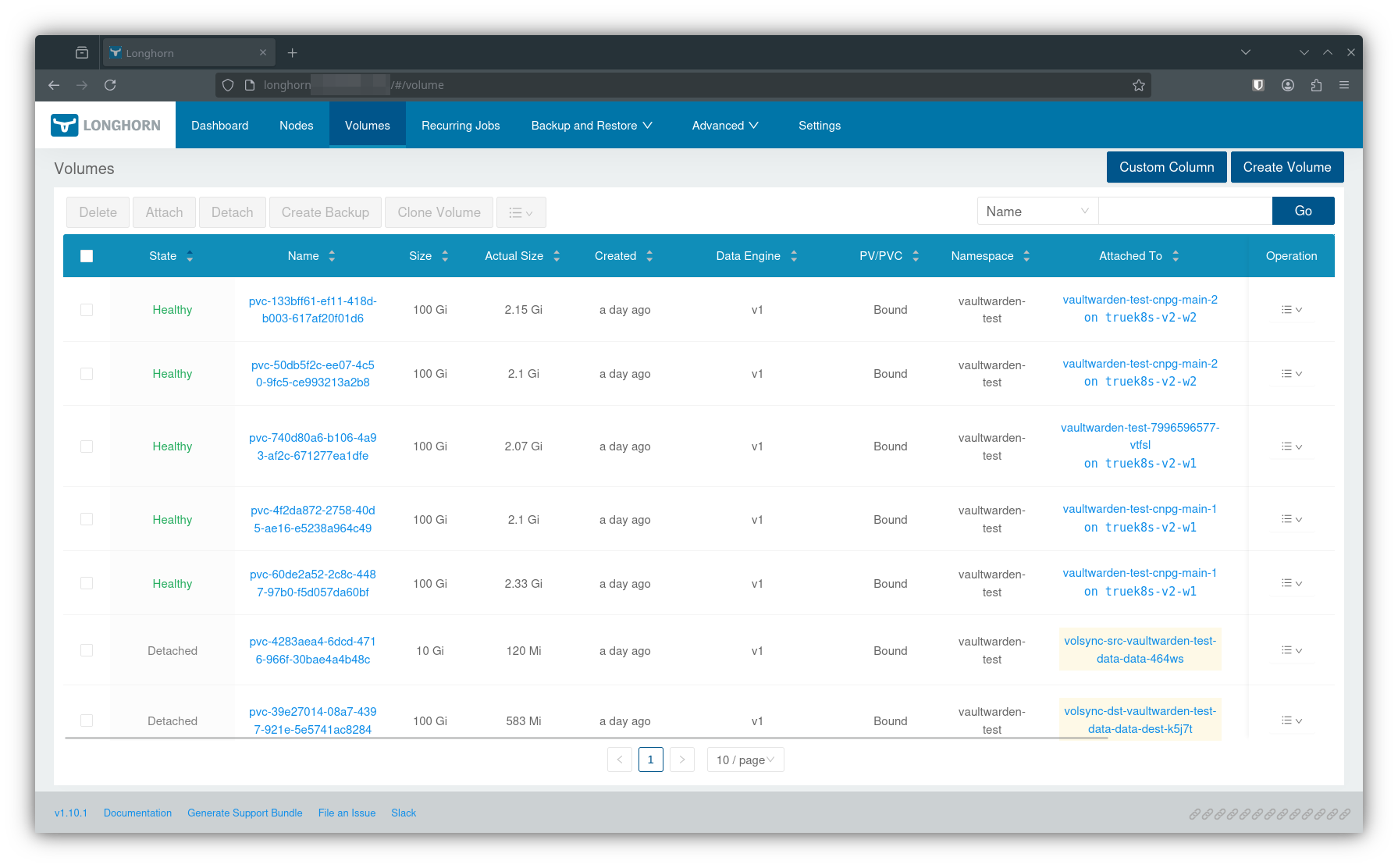
Once flux starts deploying your applications, you can keep an eye on any pods created in that applicaiton namespace. It can be anxiety inducing to wait for a large deployment like nextcloud to reach ready status. Just know that if the CNPG and Volsync containers reach complete or running status, you’re probably fine.
$ kubectl get pods -n nextcloud-demo
NAME                                             READY   STATUS              RESTARTS   AGE
nextcloud-demo-5c4777bf8d-f8dhp                  0/1     Init:0/3            0          8m11s
nextcloud-demo-clamav-76666fbd67-tsrbd           0/1     Init:0/2            0          8m11s
nextcloud-demo-cnpg-main-1-full-recovery-pws75   1/1     Running             0          8m10s
nextcloud-demo-collabora-644c55596f-rrglv        0/1     Init:0/2            0          8m11s
nextcloud-demo-imaginary-5d55d79fcf-2jbzd        0/1     Init:0/2            0          8m11s
nextcloud-demo-nextcloud-cron-29407260-7c2pq     0/1     ContainerCreating   0          7m8s
nextcloud-demo-nginx-675b945674-8n5d4            0/1     Init:0/3            0          8m11s
nextcloud-demo-notify-66bc88d785-zrfkj           0/1     Init:0/3            0          8m12s
nextcloud-demo-preview-cron-29407260-748xr       0/1     ContainerCreating   0          7m8s
nextcloud-demo-redis-0                           1/1     Running             0          8m11s
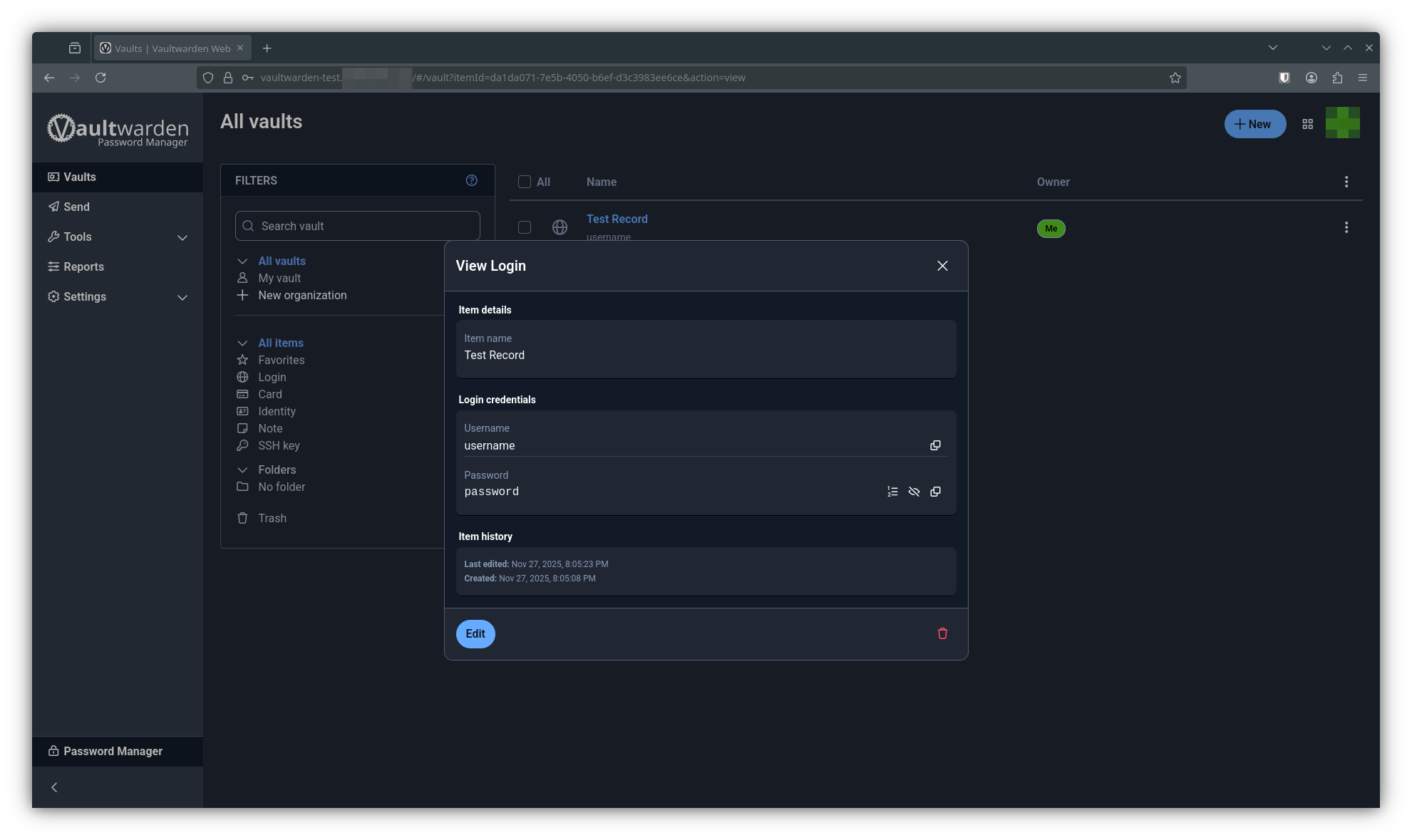
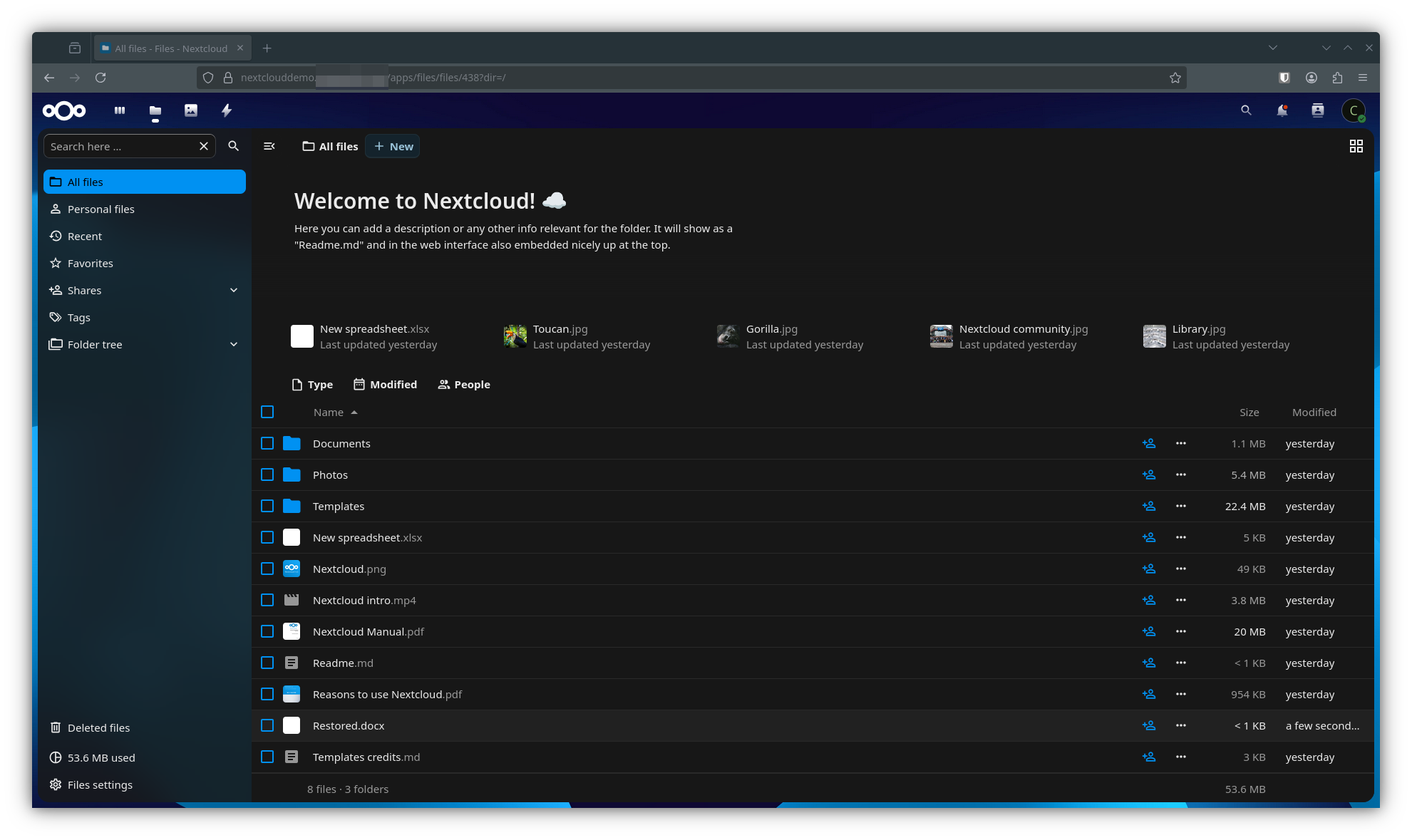
And when it’s all done, your applications should be back online. Here I am checking for my test record in vaultwarden, and logging back into nextcloud.
Conclusion
I could go on writing about this little project of mine for another 10 posts, but I need to draw a line in the sand so I can close this out and return to some of my other projects. All in all, it’s been over a year since I set out to migrate all of my TrueCharts apps into the Talos\Kubernetes ecosystem, and it’s been 6 months since I started writing this series. I think I had everything ‘working’ a few months ago, but challenging myself along the way to write this series of posts forced me to do my best to do things the right way. I’m sure I will have other posts related to this, but let’s call this the ‘core’ guide for my TrueK8S project. Thanks for reading, and I hope you found something useful here.